

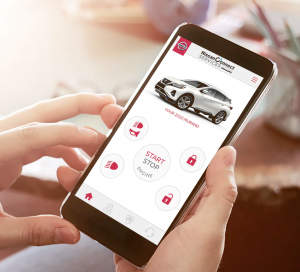
 Learn how to use Remote Engine Start with Intelligent Climate Control for your Nissan and discover all the features it offers, like cooling your interior and heating your seats, mirrors and steering wheel.
Remote Engine Start/Stop
Before you leave home or work, log in to the NissanConnect Services app or MyNISSAN Owner Portal to remotely start your vehicle to return it to a comfortable temperature.
Feature benefits
Want to learn more about Remote Engine Start/Stop on NissanConnect Services? Explore the full benefits to find out what it can add to your journey.
Activation period
Once Remote Engine Start is activated your Nissan vehicle will run for 10 minutes. If you haven’t driven away by the time that period lapses, your engine will shut down automatically.
Set an extension
You can issue a second Remote Engine Start command in order to start an extra 10 minutes activation period on the NissanConnect Services app or MyNISSAN Owner Portal.
Notification of failed request
If your vehicle fails to start following a remote command, you’ll be notified by the push notification preference you set on the NissanConnect Services app or MyNISSAN Owner Portal.
Connect with us


Recent Blog Entries
- Passport Nissan VA’s Guide to Maintaining Your Nissan
- Mastering the Art of Remote Start: A Comprehensive Guide from Passport Nissan VA
- Mastering Voice Commands in Your Nissan – Unlocking the Power of Hands-Free Control
- Why Buy Nissan Certified Pre-Owned from Passport Nissan VA
- Routine Maintenance from Passport Nissan VA Keeps Your Vehicle Performing at Its Best